Welcome to my world
Hi, I’m Muhammad Qurban
a
WordPress Developer.
Professional Coder.
Chatbot Developer
I build WordPress experiences that feel effortless—using clean structure, smart layouts, and smooth interactions to guide users through every page; not adding features just to fill space, but crafting them to make each action clear.
find with me
best skill on




Services
What I Do
WordPress Website
I create modern WordPress websites that load fast and stay simple to manage for every client.
Plugin Development
I build custom WordPress plugins that add new features with clean code and run smoothly on any site.
Theme Development
I build custom WordPress themes that feel smooth to use, load fast, and match your brand perfectly.
Speed Optimization
I improve site speed with smart tweaks that make everything load sharp, smooth, and search-engine friendly.
Bug Fixing
I repair broken features and hidden issues to make your website feel steady, reliable, and easy to use again.
Chatbot Development
I build smart chatbots that guide users smoothly, answer fast, and make your website feel more alive.
Visit my portfolio and keep your feedback
My Portfolio

A vehicle tracking website built with Hello Elementor theme + Elementor


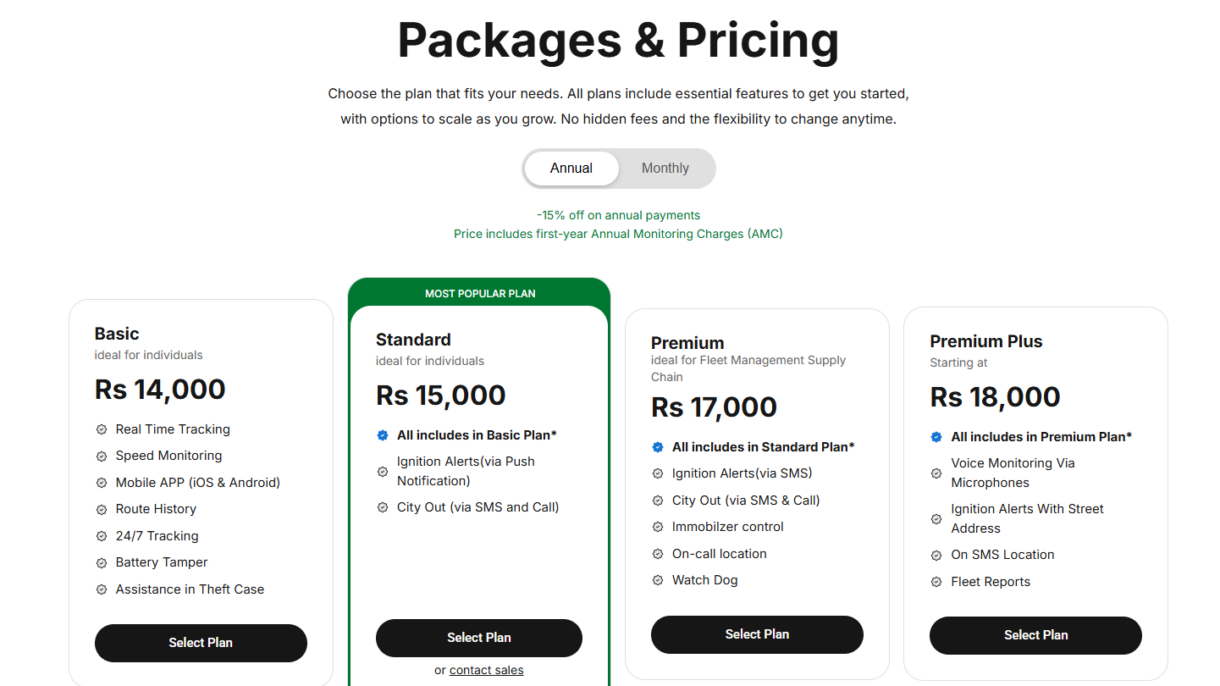

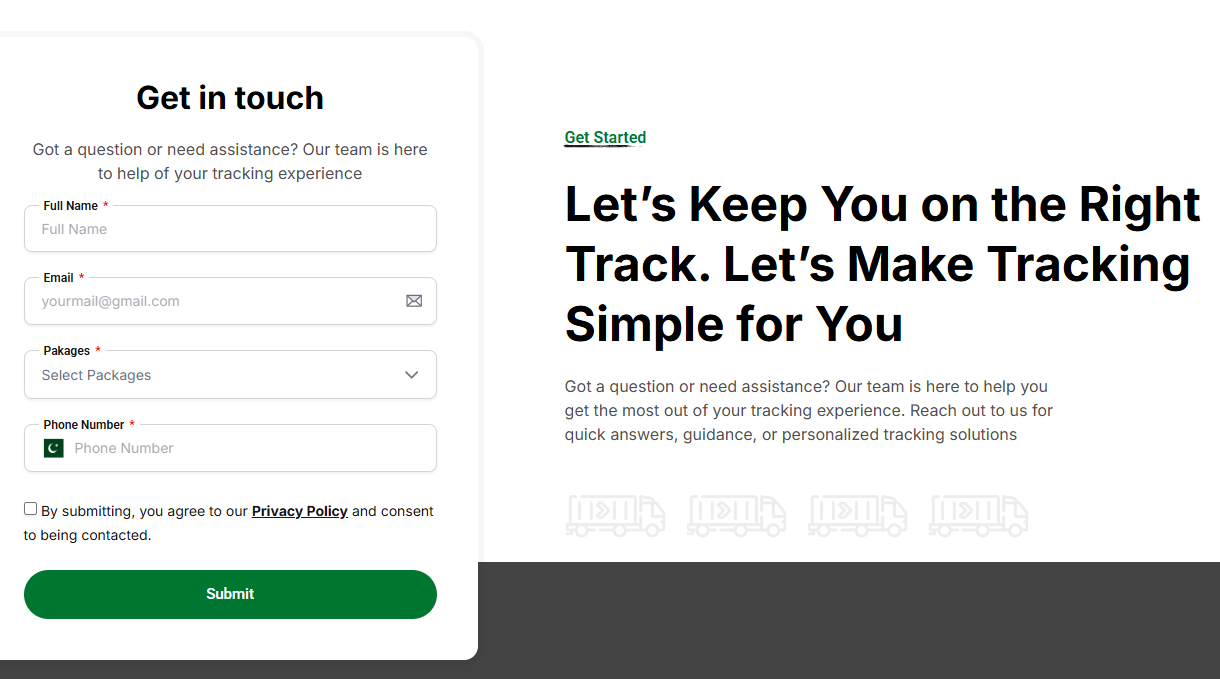
A vehicle tracking website built with Hello Elementor theme + Elementor
Through a wide variety of mobile applications, we’ve developed a unique visual system.
- Whatsapp +92347-1012910
This project is a custom tracking website built from the ground up using the Hello Elementor theme and Elementor. The goal was to create a clean, fast, and user-friendly platform where users can easily track and view updated information without any hassle. Every section, layout, and interaction was crafted to feel smooth and intuitive.
Strategy
Build a lightweight and smooth tracking system with quick navigation and clear data display. The focus was speed, simplicity, and a structure that works well on all devices.
Design
Created using Elementor with a minimal UI and clean visual flow. The layouts, spacing, and colors were planned to keep the interface simple, modern, and easy to read.
User Experience
The site offers a smooth experience with fully responsive sections and clear content blocks. Users can track information easily across mobile, tablet, and desktop.

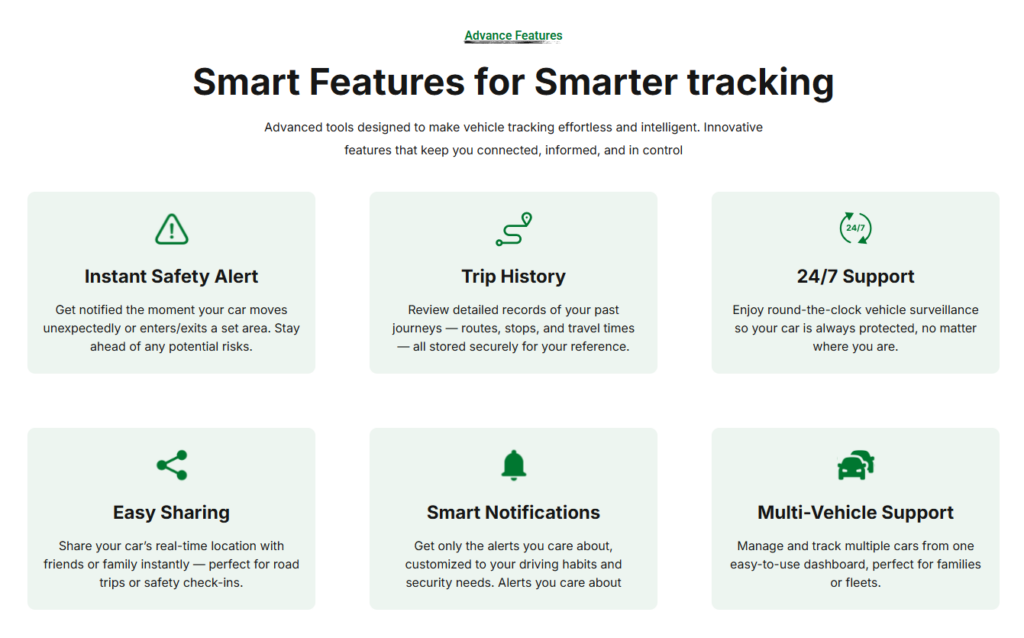
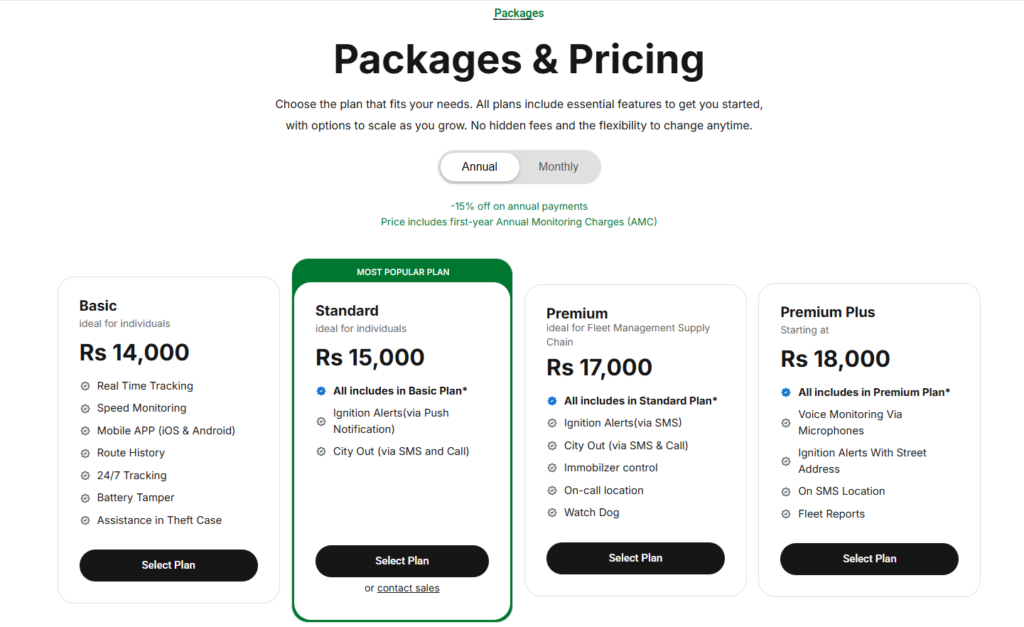
Developed with Hello Elementor + Elementor, optimized for speed, responsiveness, and clean visuals. Every page and component was built and refined by me.
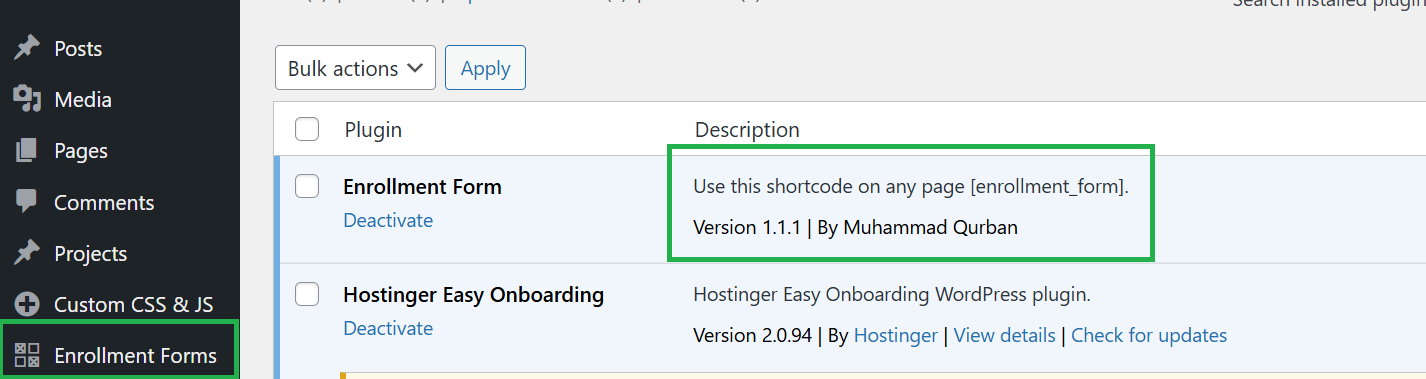
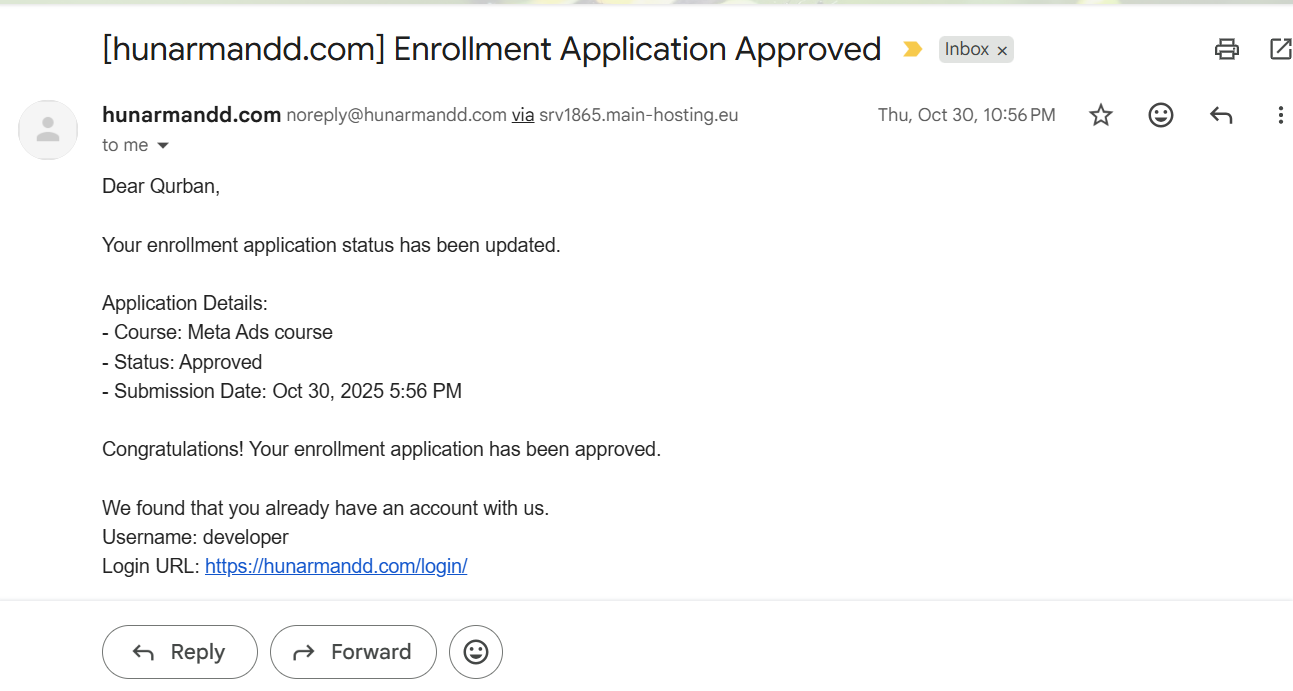
Custom Enrollment Plugin
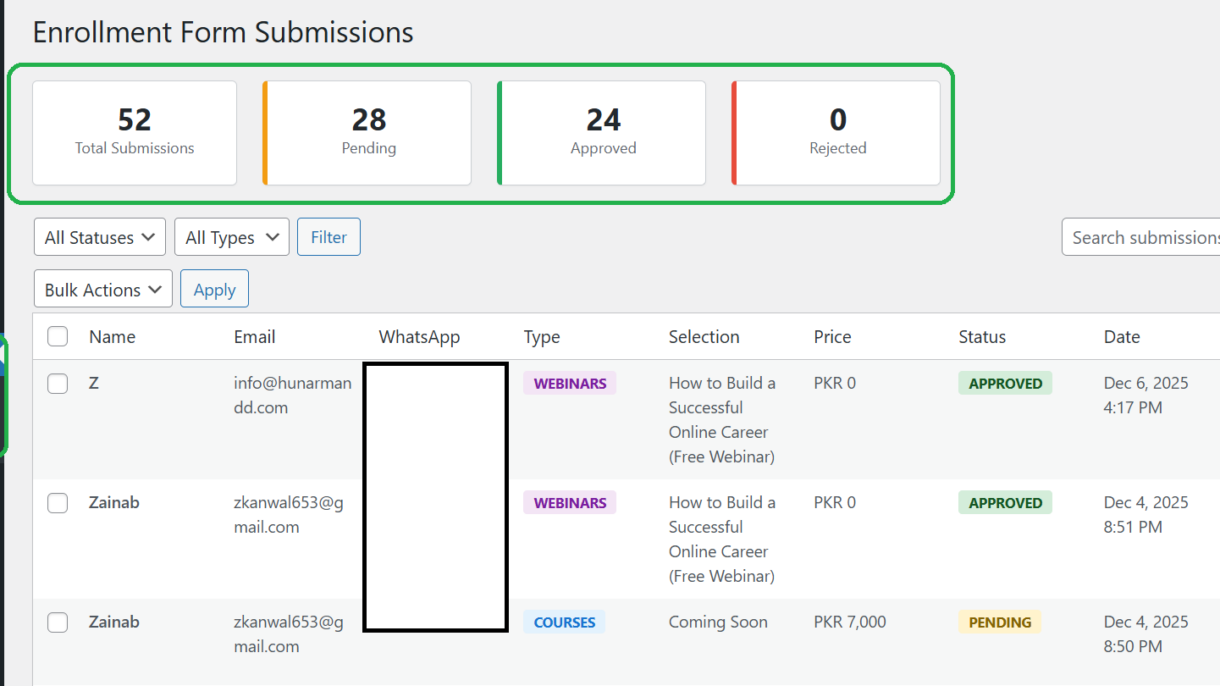
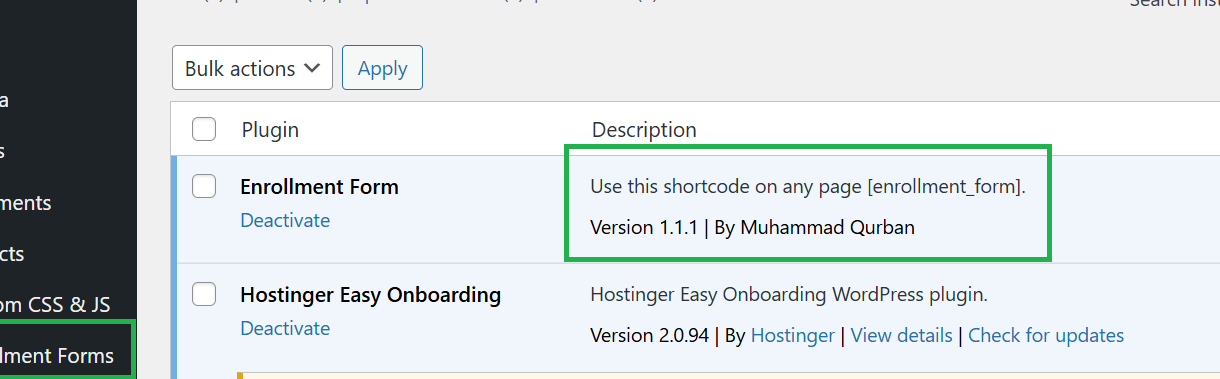
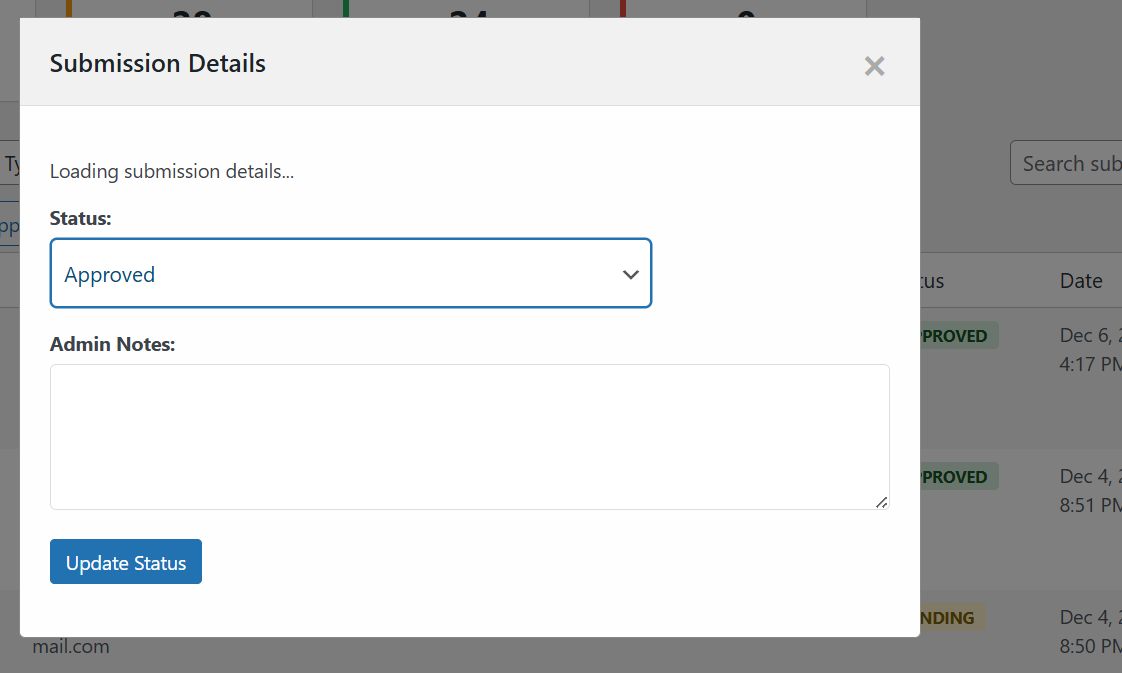
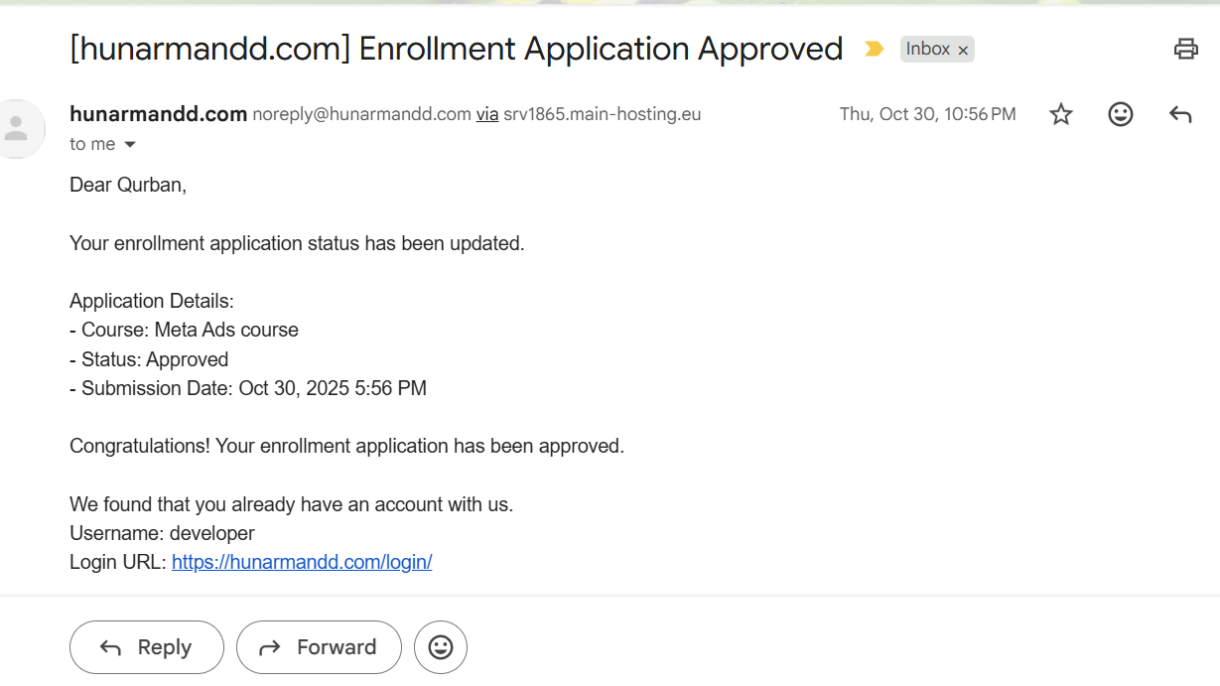
Custom Enrollment Plugin
Custom Plugin integrated with Tutor LMS.
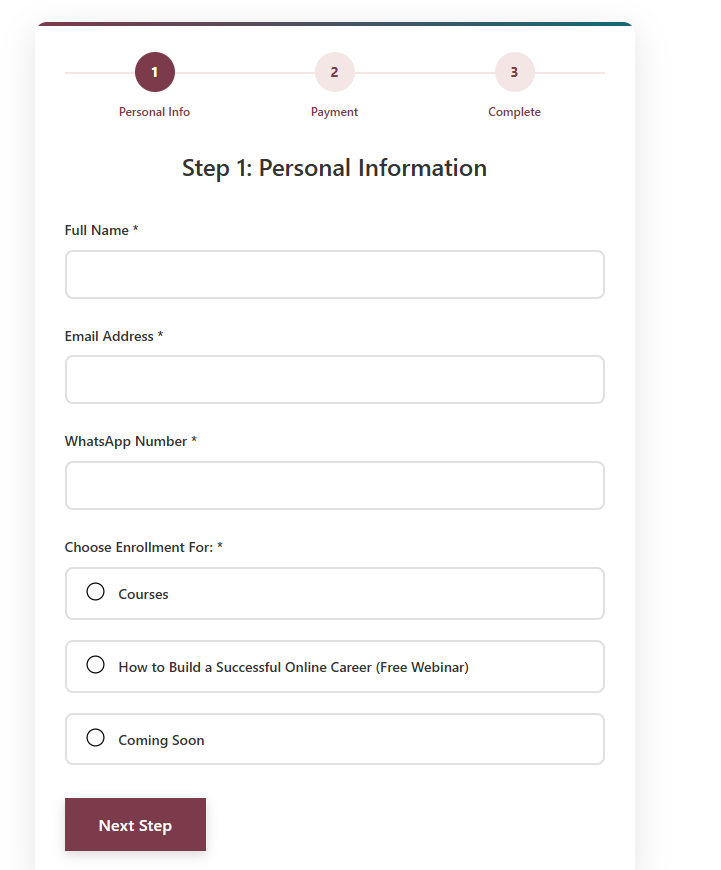
Overview:
- A WordPress plugin allowing users to submit personal information and select courses, webinars, or sessions.
- Fully integrated with Tutor LMS for automatic course enrollment upon approval.
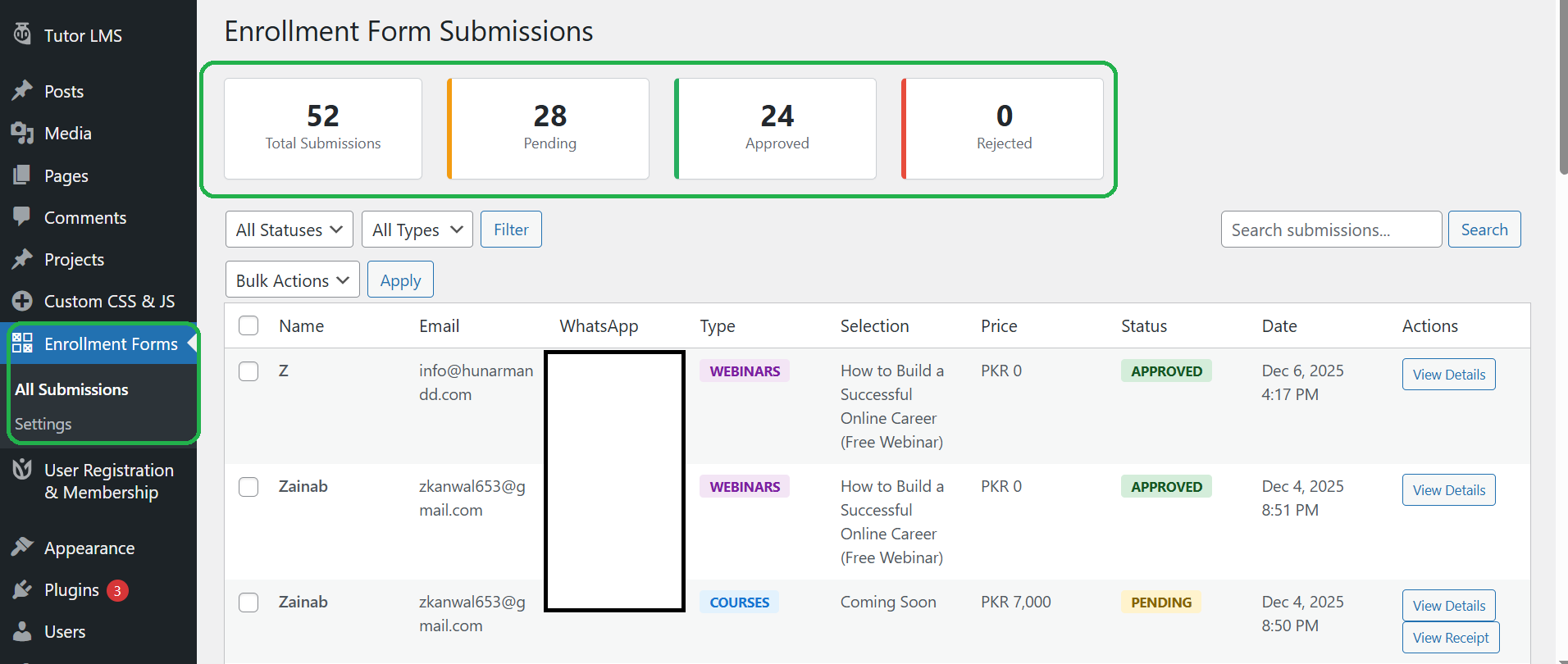
Admin Panel:
- Dedicated menu page to view all user submissions.
- Admin can manually approve or reject requests after checking the payment receipt.
- Sends automatic email notifications to both users and the admin on approval or rejection
Features & Workflow:
- Custom form built to efficiently collect user data.
- Database storage of all submissions for easy tracking.
- Seamless integration with Tutor LMS to auto-enroll approved users.
- Built entirely by me with attention to responsiveness, usability, and smooth functionality.
Online School Platform – Custom Eduma Child Theme
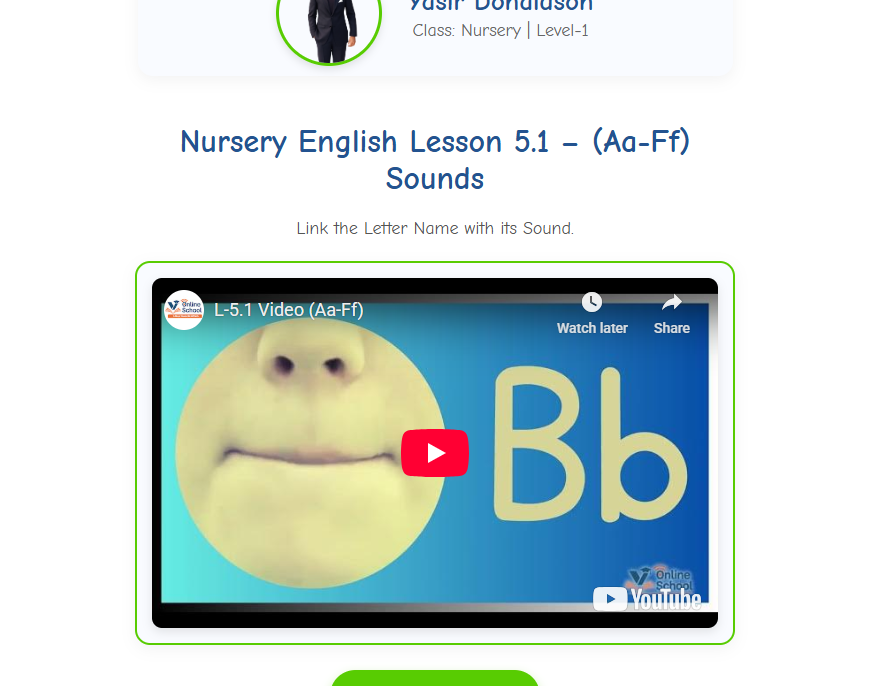
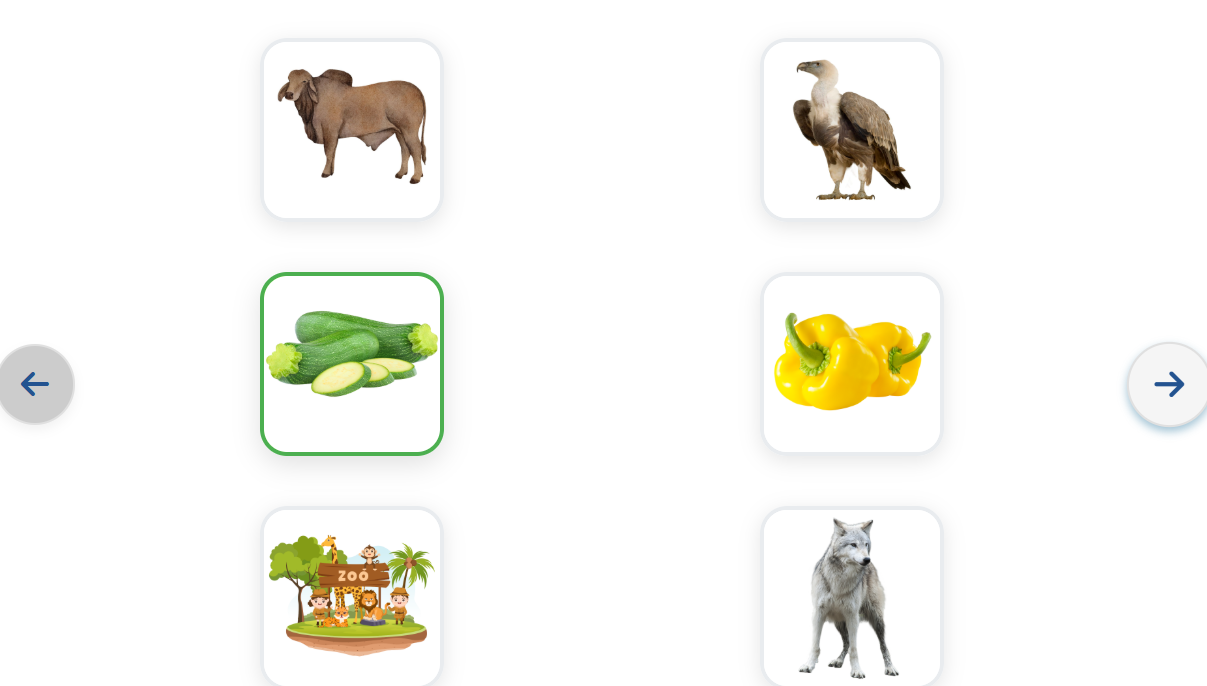
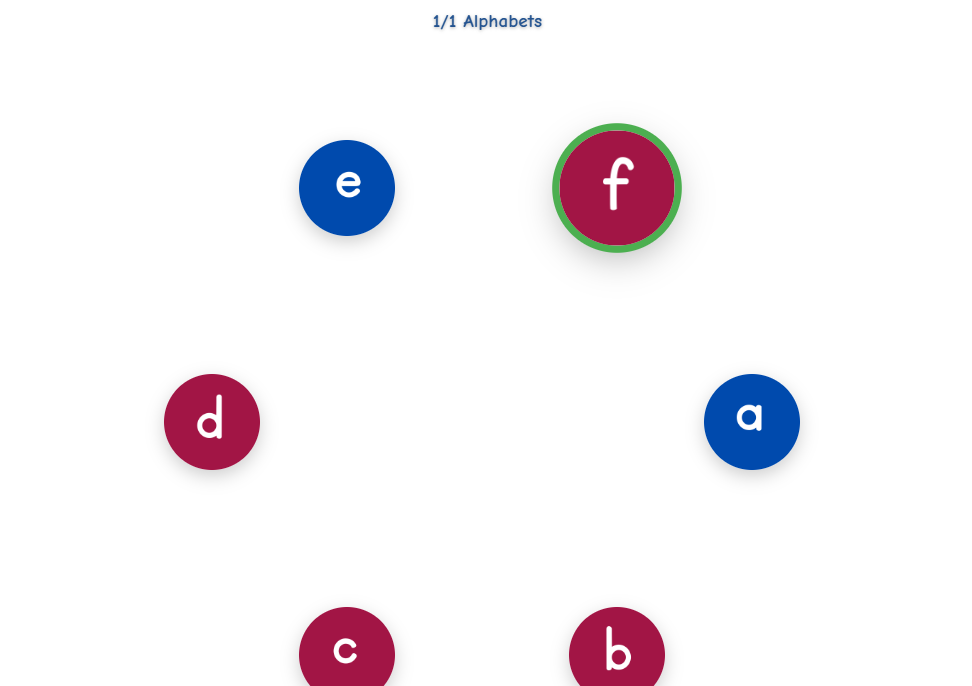
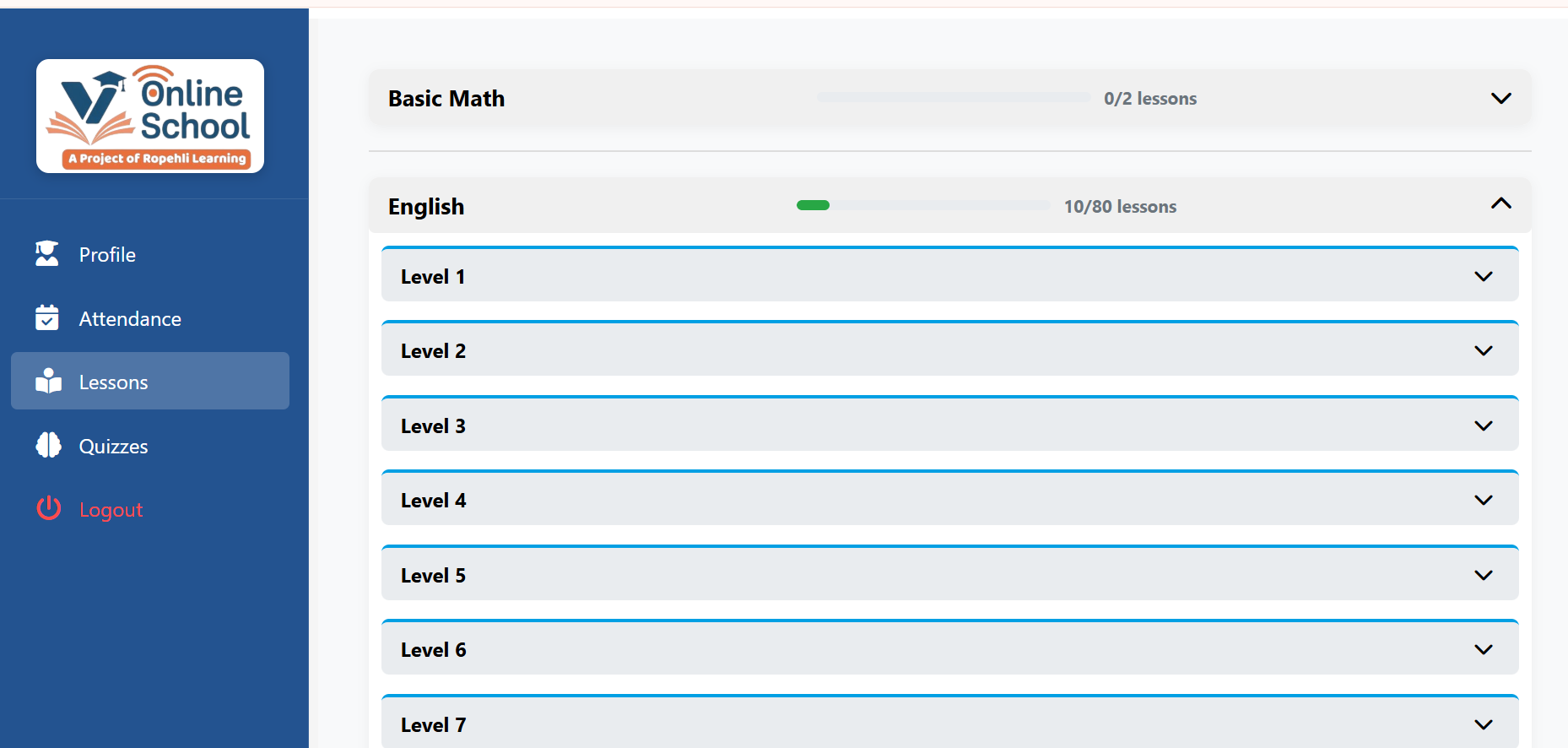
Online School Platform – Custom Eduma Child Theme
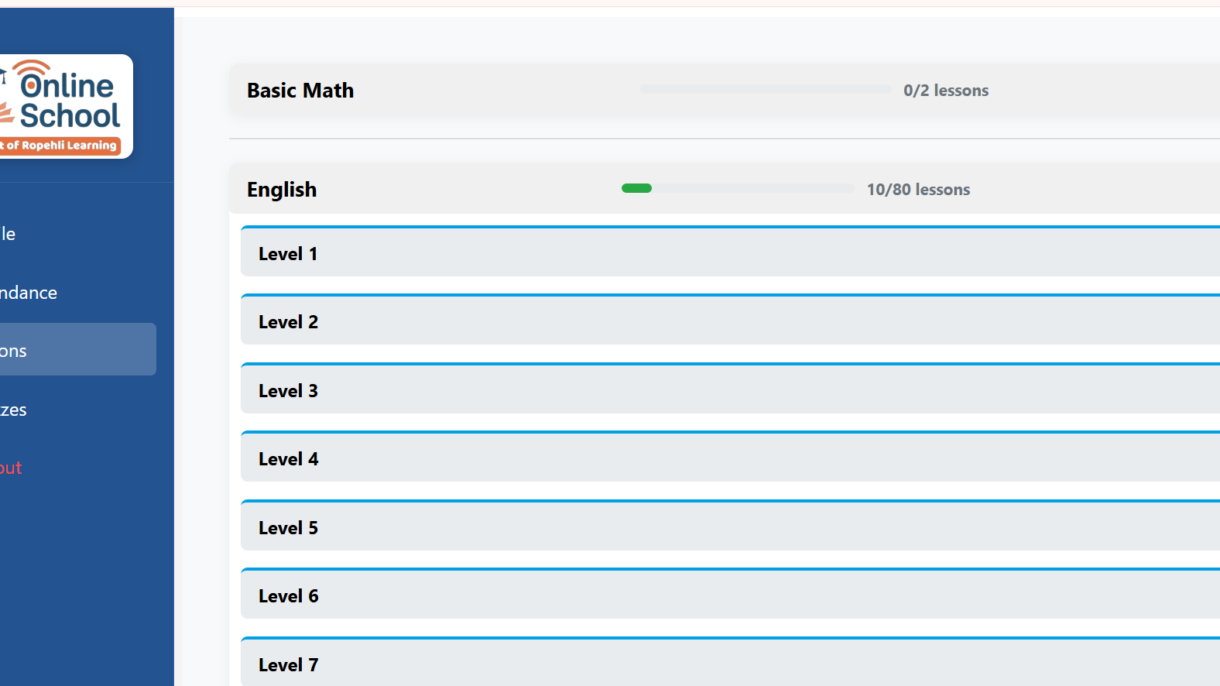
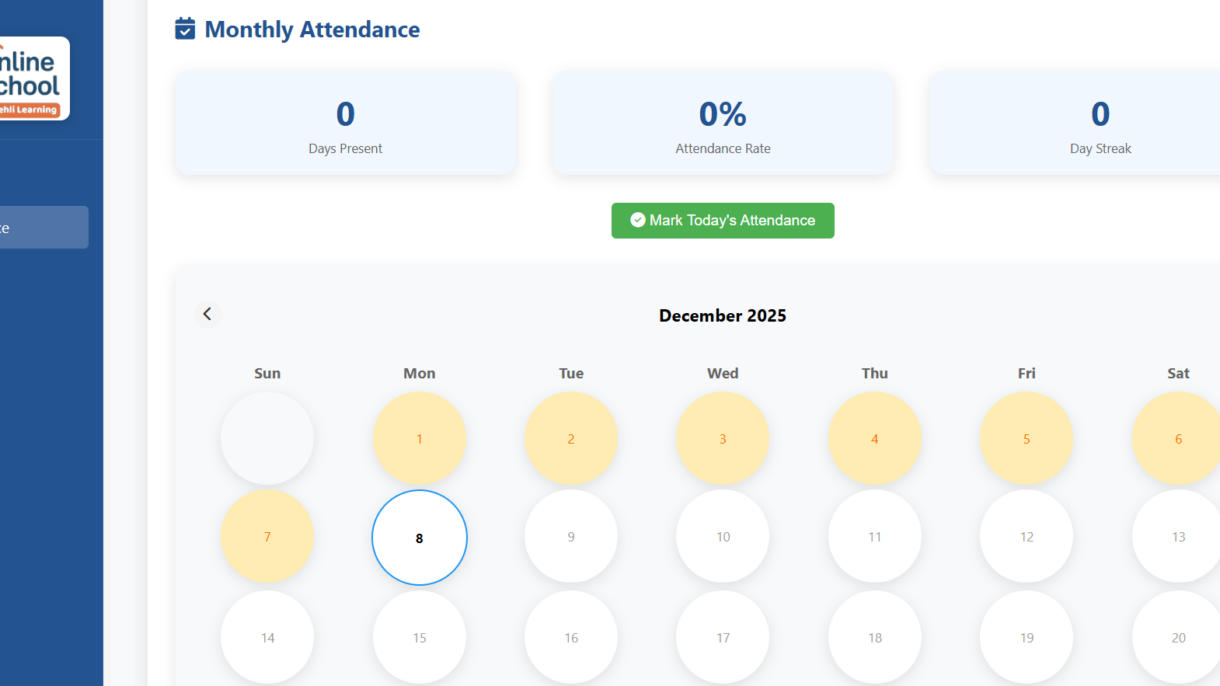
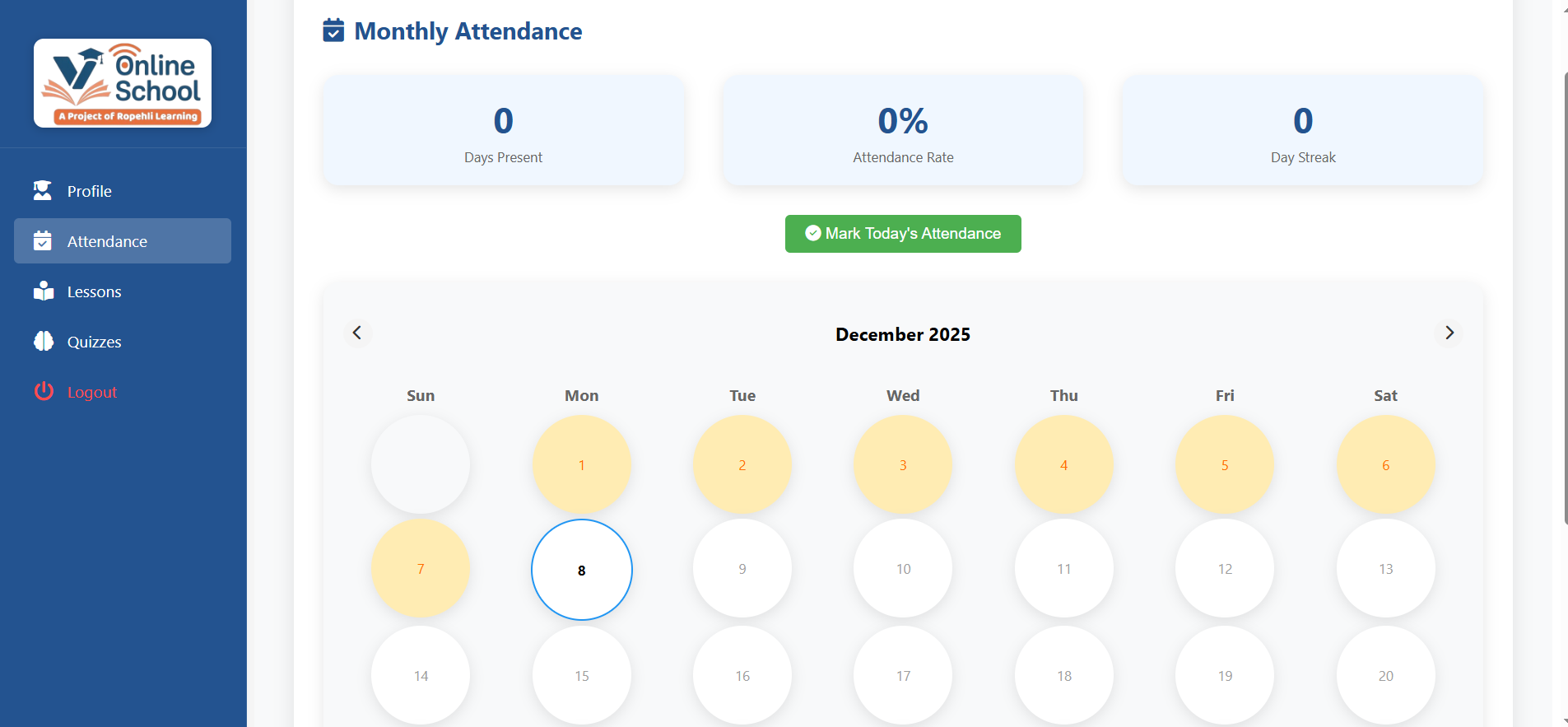
A fully customized online school system built with Eduma, featuring custom lesson layouts, student dashboards, quizzes, attendance, and result automation.
Overview:
- A complete online learning system built using the Eduma theme with a fully customized child theme
- Designed to support structured lessons, classes, quizzes, grand quizzes, attendance, results, and final assessments.
Layout & Lesson System:
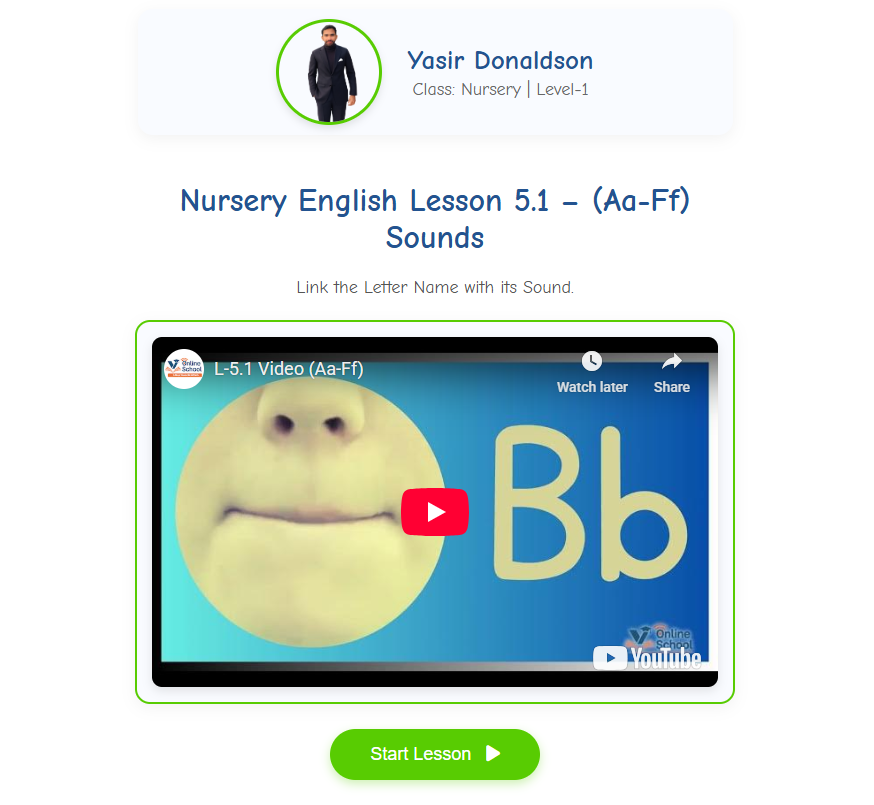
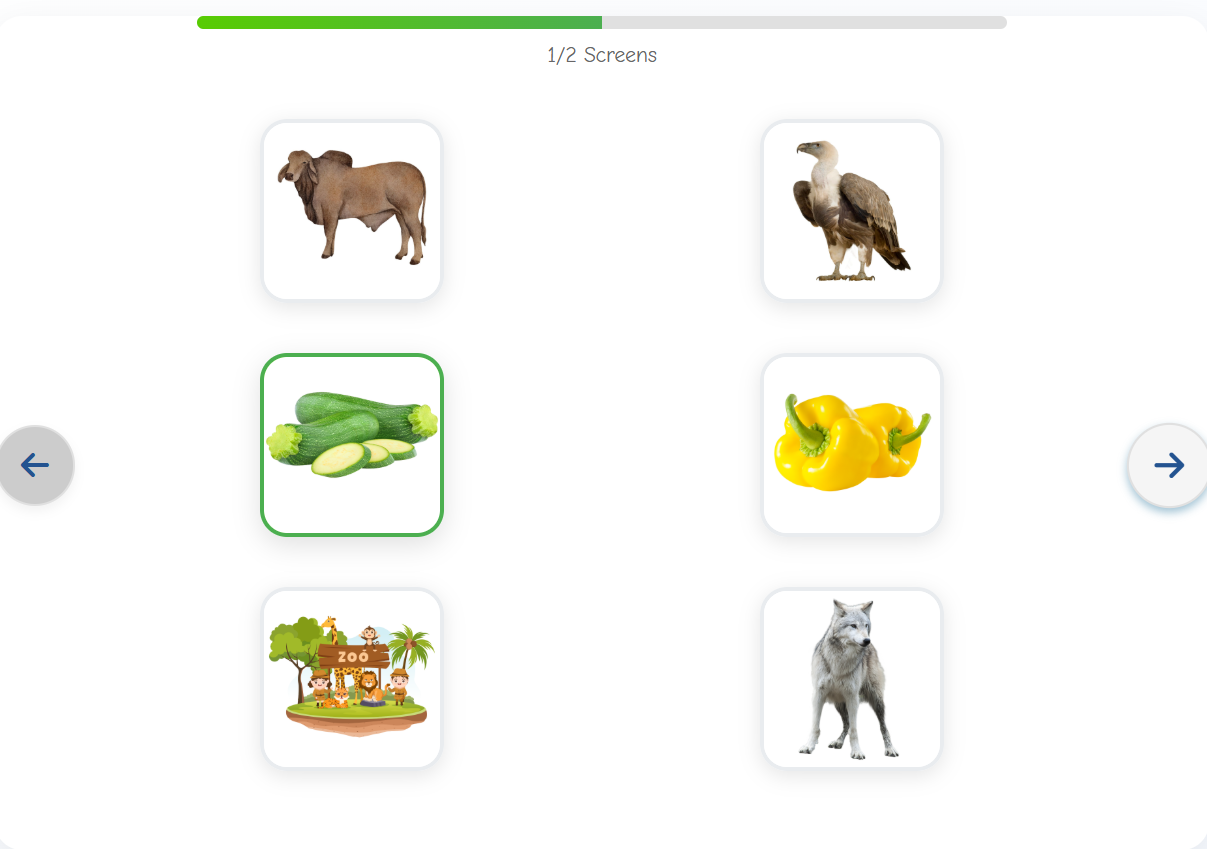
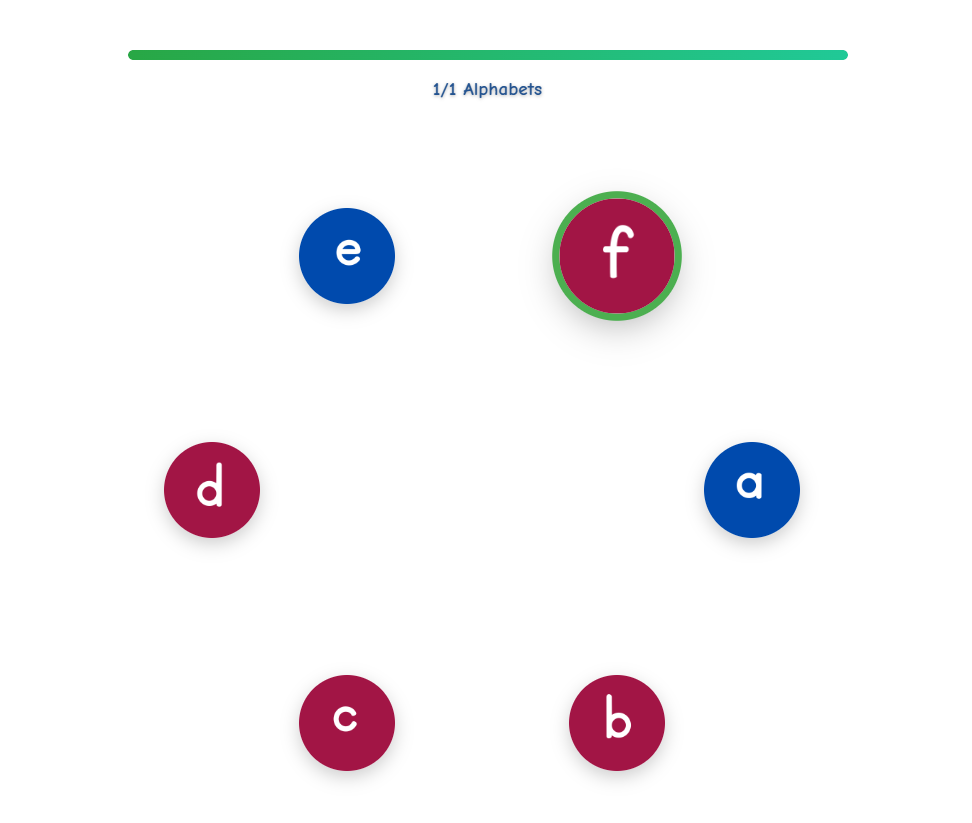
- Created a custom lesson layout system where every lesson type uses a unified design.
- All layouts are built with ACF fields to provide the client with flexible content control.
- Frontend lesson pages are fully customized to match the school’s requirements.
Student Dashboard:
- Clean, easy-to-use dashboard for students.
- Displays lessons, quizzes, attendance, results, and progress in a clear and organized structure.
Development & Features:
- Displays lessons, quizzes, attendance, results, and progress in a clear and organized structure.
- Built custom ACF field groups for lessons, class content, quiz data, and result tracking.
- Implemented custom database tables to store student records, attendance logs, quiz scores, and final assessment results.
- Automated the creation of result cards using stored data.
Development & Features:
- Fully responsive, fast, and optimized for a smooth e-learning experience.
- Entire system—theme customization, layouts, CPTs, ACF fields, and database structure—developed by me.
Media Overview
Workout Website Design And Development.
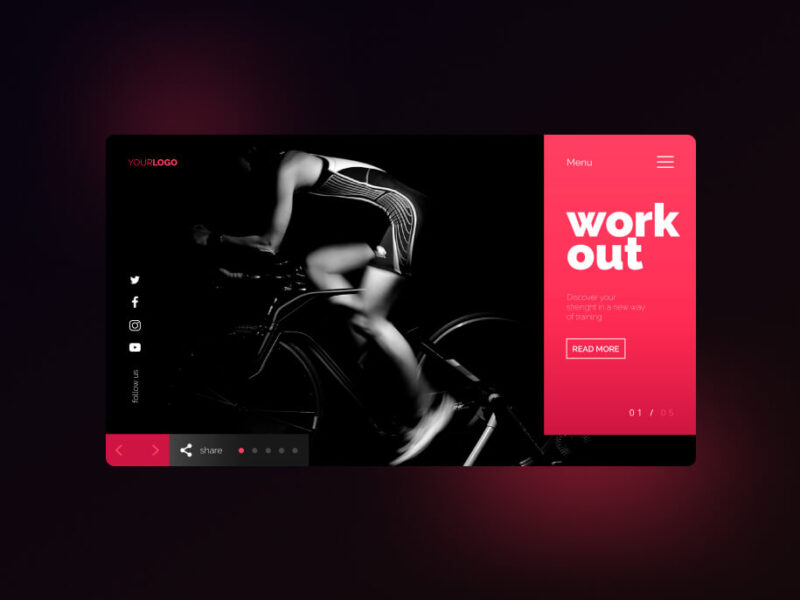
Workout Website Design And Development.
Through a wide variety of mobile applications, we’ve developed a unique visual system and strategy that can be applied across the spectrum of available applications.
Strategy
A strategy is a general plan to achieve one or more long-term.
- The Design Approach
- Project Challenge
- The Solution
Design
UI/UX Design, Art Direction, A design is a plan or specification for art.
- Project Challenge
- The Design Approach
- The Solution
Client
Lorem ipsum dolor sit amet, consectetur adipiscing elit, sed do eiusmod tempor incididunt ut labore et dolore magna aliqua. Quis ipsum suspendisse ultrices gravida. Risus commod viverra maecenas accumsan lacus vel facilisis. ut labore et dolore magna aliqua.


There are always some stocks, which illusively scale lofty heights in a given time period. However, the good show doesn’t last for these overblown toxic stocks as their current price is not justified by their fundamental strength.
Toxic companies are usually characterized by huge debt loads and are vulnerable to external shocks. Accurately identifying such bloated stocks and getting rid of them at the right time can protect your portfolio.
Overpricing of these toxic stocks can be attributed to either an irrational enthusiasm surrounding them or some serious fundamental drawbacks. If you own such bubble stocks for an inordinate period of time, you are bound to see a massive erosion of wealth.
However, if you can precisely spot such toxic stocks, you may gain by resorting to an investing strategy called short selling. This strategy allows one to sell a stock first and then buy it when the price falls.
While short selling excels in bear markets, it typically loses money in bull markets.
So, just like identifying stocks with growth potential, pinpointing toxic stocks and offloading them at the right time is crucial to guard one’s portfolio from big losses or make profits by short selling them. Heska Corporation HSKA, Tandem Diabetes Care, Inc. TNDM, Credit Suisse Group CS,Zalando SE ZLNDY and Las Vegas Sands LVS are a few such toxic stocks.Screening Criteria
Here is a winning strategy that will help you to identify overhyped toxic stocks:

Most recent Debt/Equity Ratio greater than the median industry average: High debt/equity ratio implies high leverage. High leverage indicates a huge level of repayment that the company has to make in connection with the debt amount.

Mobile Application Landing Page Design.

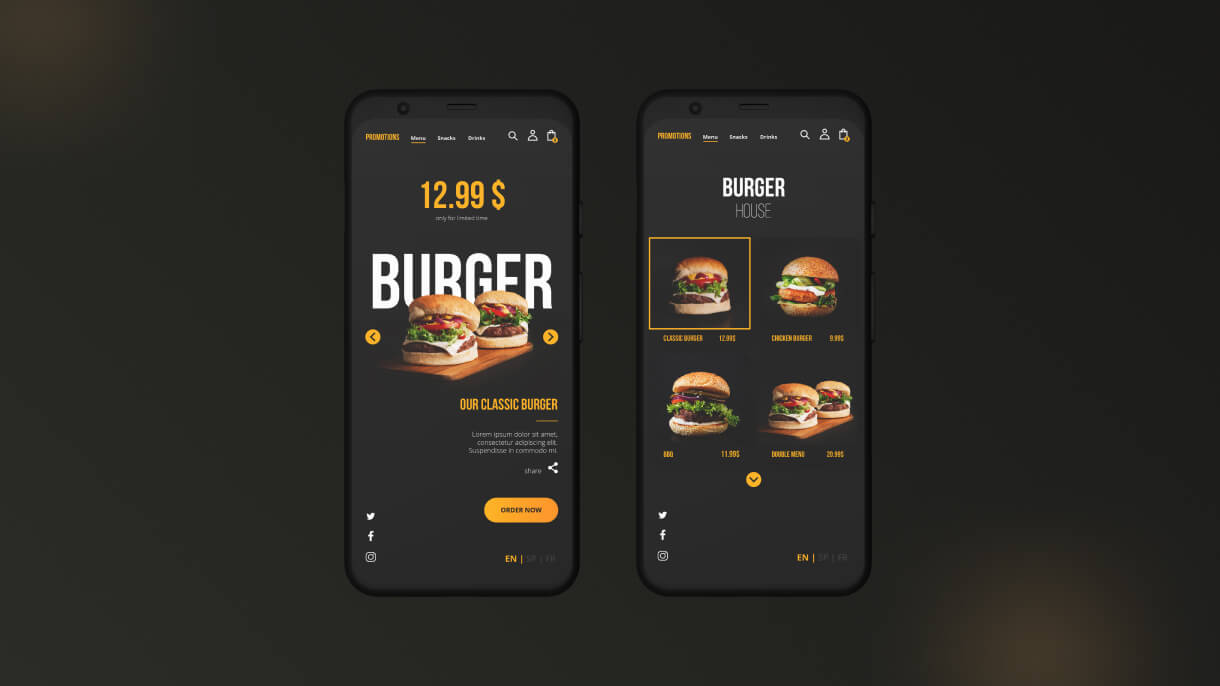
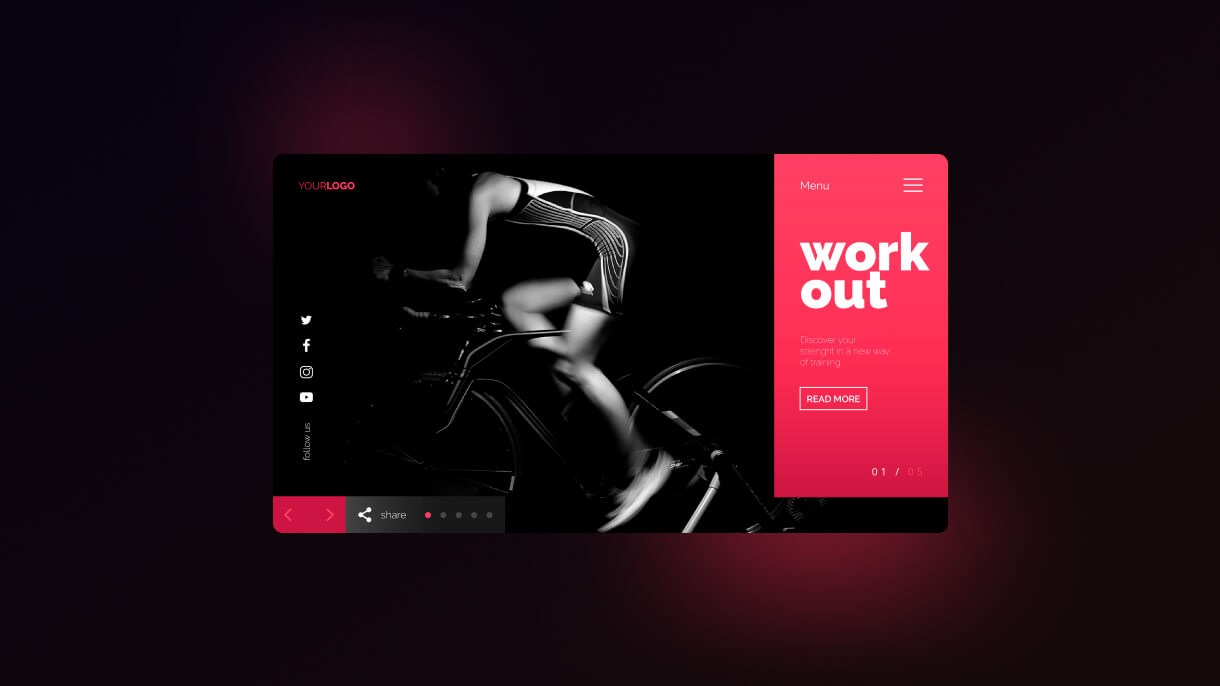
Mobile Application Landing Page Design.
Through a wide variety of mobile applications, we’ve developed a unique visual system and strategy that can be applied across the spectrum of available applications.
Strategy
A strategy is a general plan to achieve one or more long-term.
- The Design Approach
- Project Challenge
- The Solution
Design
UI/UX Design, Art Direction, A design is a plan or specification for art.
- Project Challenge
- The Design Approach
- The Solution
Client
Lorem ipsum dolor sit amet, consectetur adipiscing elit, sed do eiusmod tempor incididunt ut labore et dolore magna aliqua. Quis ipsum suspendisse ultrices gravida. Risus commod viverra maecenas accumsan lacus vel facilisis. ut labore et dolore magna aliqua.
There are always some stocks, which illusively scale lofty heights in a given time period. However, the good show doesn’t last for these overblown toxic stocks as their current price is not justified by their fundamental strength.
Toxic companies are usually characterized by huge debt loads and are vulnerable to external shocks. Accurately identifying such bloated stocks and getting rid of them at the right time can protect your portfolio.
Overpricing of these toxic stocks can be attributed to either an irrational enthusiasm surrounding them or some serious fundamental drawbacks. If you own such bubble stocks for an inordinate period of time, you are bound to see a massive erosion of wealth.
However, if you can precisely spot such toxic stocks, you may gain by resorting to an investing strategy called short selling. This strategy allows one to sell a stock first and then buy it when the price falls.
While short selling excels in bear markets, it typically loses money in bull markets.
So, just like identifying stocks with growth potential, pinpointing toxic stocks and offloading them at the right time is crucial to guard one’s portfolio from big losses or make profits by short selling them. Heska Corporation HSKA, Tandem Diabetes Care, Inc. TNDM, Credit Suisse Group CS,Zalando SE ZLNDY and Las Vegas Sands LVS are a few such toxic stocks.Screening Criteria
Here is a winning strategy that will help you to identify overhyped toxic stocks:
Most recent Debt/Equity Ratio greater than the median industry average: High debt/equity ratio implies high leverage. High leverage indicates a huge level of repayment that the company has to make in connection with the debt amount.
Please enter the password to
view the content.
You want password? Request Password
Demo password is: 54321
Standard
**
Restaurant Mobile App Figma Design.
What Clients Say
Testimonial
Daniel R. Thompson
Delivered exactly what we needed. Fast, professional, and business-oriented.
Sarah Mitchell
Our website performance and lead quality improved significantly.
Andrew Collins
The AI chatbot automated 70% of our customer queries.
Anna Kowalski
This is the best website I have ordered something from. I highly recommend.
Popular Clients
Awesome Clients

John Due

Smiths Marth

Add Dev
Jone Due

Adon Smith
John Due
Smitha Mila

Sultana Mila
Jannat
John Due
Marth Smiths
John Due
John Due
Smiths Marth
Add Dev
Jone Due
Adon Smith
John Due
Smitha Mila
Sultana Mila
Jannat
John Due
Marth Smiths
John Due
John Due
Smiths Marth
Add Dev
Jone Due
Adon Smith
John Due
Smitha Mila
Sultana Mila
Jannat
John Due
Marth Smiths
John Due
John Due
Smiths Marth
Add Dev
Jone Due
Adon Smith
John Due
Smitha Mila
Sultana Mila
Jannat
John Due
Marth Smiths
John Due
John Due
Smiths Marth
Add Dev
Jone Due
Adon Smith
John Due
Smitha Mila
Sultana Mila
Jannat
John Due
Marth Smiths
John Due
John Due
Smiths Marth
Add Dev
Jone Due
Adon Smith
John Due
Smitha Mila
Sultana Mila
Jannat
John Due
Marth Smiths
John Due
Pricing
My Pricing
Make Your Single Page
Elementor / WPBakery
Order Now
1 Page with Elementor
Design Customization
Responsive Design
Content Upload
Design Customization
2 Plugins/Extensions
Multipage Elementor
Design Figma
MAintaine Design
Content Upload
Design With XD
8 Plugins/Extensions
ORDER NOW
2 Days Delivery
Unlimited Revission
Design Make this Page
Elementor / WPBakery
5 Page with Elementor
Design Customization
Responsive Design
Content Upload
Design Customization
5 Plugins/Extensions
Multipage Elementor
Design Figma
MAintaine Design
Content Upload
Design With XD
50 Plugins/Extensions
ORDER NOW
2 Days Delivery
Unlimited Revission
Customize Your Single Page
Elementor / WPBakery
10 Page with Elementor
Design Customization
Responsive Design
Content Upload
Design Customization
20 Plugins/Extensions
Multipage Elementor
Design Figma
MAintaine Design
Content Upload
Design With XD
100 Plugins/Extensions
ORDER NOW
2 Days Delivery
Unlimited Revission
Visit my blog and keep your feedback
My Blog
Uncategorized
2 min read
Top 10 Best WordPress Hosting Companies Worldwide: A Complete Guide
June 8, 2025
Top 10 Best WordPress Hosting Companies Worldwide: A Complete Guide
The Best WordPress Hosting Companies to Power Your Website
Are you searching for the best WordPress hosting company to ensure your website runs smoothly and efficiently? Look no further! In this guide, we will explore the top WordPress hosting providers that offer exceptional services to meet your website’s needs.
What is WordPress Hosting?
Before we dive into the best hosting options, let’s understand what WordPress hosting is. WordPress hosting services are specifically optimized to enhance the performance and security of WordPress websites. These hosting providers offer specialized features that are tailored to the unique requirements of WordPress sites.
Top WordPress Hosting Providers
When it comes to choosing the best hosting for WordPress websites, several companies stand out for their reliable services and top-notch performance. Here are some of the best WordPress hosting providers to consider:
- Bluehost
Bluehost is a popular choice for WordPress hosting, known for its easy setup process and 24/7 customer support. With one-click WordPress installation and automatic updates, Bluehost streamlines the hosting experience for users of all levels.
- SiteGround
SiteGround is another reputable hosting provider that offers excellent performance and security features for WordPress sites. Their managed WordPress hosting ensures fast loading speeds and proactive security measures to keep your website safe from threats.
- HostGator
HostGator is a reliable option for WordPress hosting, offering a range of hosting plans to suit different needs and budgets. With unmetered bandwidth and free site migration, HostGator makes it simple to launch and maintain your WordPress site hassle-free.
WordPress Hosting Reviews
Before making your final decision, it’s essential to read WordPress hosting reviews to get insights from real users. By checking out reviews from reputable sources and user testimonials, you can gain valuable information about the performance, customer support, and overall satisfaction levels of each hosting provider.
Conclusion
In conclusion, choosing the right WordPress hosting company is crucial for the success of your website. By opting for a reliable hosting provider that offers optimized services for WordPress sites, you can ensure your website performs efficiently and provides a seamless user experience for visitors.
Remember to assess your website’s specific needs, compare hosting plans, and read reviews before selecting a WordPress hosting provider. With the right choice, you can set your website up for success and enjoy a hassle-free hosting experience.
Uncategorized
3 min read
Step-by-Step Guide to Converting HTML CSS Template to WordPress Theme
June 8, 2025
Step-by-Step Guide to Converting HTML CSS Template to WordPress Theme
Converting an HTML CSS Template to WordPress Theme: A Simple Step-by-Step Guide
Are you looking to transform your static HTML CSS website into a dynamic WordPress theme? Converting an HTML CSS template to a WordPress theme can seem daunting, but with the right guidance, you can easily navigate the process. In this tutorial, we will provide you with a clear, detailed, and easy-to-follow step-by-step guide on how to convert your HTML CSS template to a WordPress theme seamlessly.
Getting Started
Before diving into the conversion process, make sure you have a basic understanding of HTML, CSS, and some familiarity with WordPress. This will help you grasp the concepts more easily and troubleshoot any issues that may arise during the conversion.
Step 1: Setting Up Your WordPress Environment
- Install WordPress: Begin by installing WordPress on your local machine or a staging server where you can work on the conversion without affecting your live website.
- Access Your WordPress Files: Locate the
wp-content/themesdirectory in your WordPress installation. This is where your theme files will be housed.
Step 2: Organizing Your Files
- Create a New Theme Directory: Inside the
themesdirectory, create a new folder for your theme. Give it a name that describes your theme. - Copy Your HTML CSS Files: Copy all the HTML, CSS, JavaScript, and image assets from your template into the new theme folder you just created.
Step 3: Breaking Down Your HTML Template
- Split Your HTML File: Divide your main HTML file into smaller template parts such as header.php, footer.php, sidebar.php, etc.
- Add WordPress Functionality: Replace static content with WordPress functions such as
get_header(),get_footer(),wp_head(), andwp_footer().
Step 4: Enqueuing Styles and Scripts
- Create
functions.php: Inside your theme folder, create afunctions.phpfile. - Enqueue Styles: Use
wp_enqueue_style()to add your CSS files to the theme. - Enqueue Scripts: Similarly, use
wp_enqueue_script()to add your JavaScript files.
Step 5: Adding WordPress Features
- Convert Menus to WordPress Menu: Replace your static menus with WordPress menu functions like
wp_nav_menu(). - Make Your Theme Widget-Ready: Add widget areas to your theme using
register_sidebar()function.
Conclusion
Congratulations! You have successfully converted your HTML CSS template into a fully functional WordPress theme. By following this step-by-step guide, you have learned how to seamlessly migrate your static website to a dynamic WordPress theme. Keep exploring and experimenting with WordPress to enhance the functionality and aesthetics of your theme further.
In conclusion, converting an HTML CSS template to a WordPress theme requires patience, practice, and a willingness to learn. Remember, practice makes perfect, so don’t be afraid to experiment and try new things. Good luck on your WordPress theme development journey!
Uncategorized
3 min read
How to Revive a Dead WordPress Site: Simple Steps to Get Your Website Live Again
June 8, 2025
How to Revive a Dead WordPress Site: Simple Steps to Get Your Website Live Again
Debugging a Dead WordPress Site and Making it Live Again
Have you ever encountered the frustrating situation of finding your WordPress site not functioning as it should? Don’t worry, you’re not alone. In this guide, we’ll walk through the process of debugging a dead WordPress site and bringing it back online. Let’s dive in!
Understanding the Issue
The first step in troubleshooting a non-functional WordPress site is to understand the root cause of the problem. There could be various reasons behind a dead WordPress site, such as:
-
Plugin or Theme Conflict: Sometimes, incompatible plugins or themes can cause your site to crash.
-
Corrupted Files: If core WordPress files are corrupted, it can lead to site malfunction.
-
Server Issues: Problems with your web hosting server can also result in a dead site.
Troubleshooting Steps
Now that we have an idea of what might be causing the issue, let’s move on to the troubleshooting steps to revive your WordPress site:
1. Accessing Error Logs
Check the error logs to identify the specific issue that’s causing the site to be down. You can usually find error logs in the cPanel provided by your hosting provider.
2. Disabling Plugins and Themes
Start by deactivating all plugins and reverting to a default WordPress theme. Then, activate each plugin one by one to determine if any specific plugin or theme is causing the problem.
3. Replacing Core Files
If you suspect that core WordPress files are corrupted, you can replace them with fresh copies. Simply download the latest version of WordPress, extract the files, and upload them to your server using FTP.
4. Checking Server Status
Ensure that your web hosting server is up and running without any issues. Reach out to your hosting provider if you suspect server-related problems.
5. Restoring from Backup
If all else fails, you can restore your site from a recent backup. Regularly backing up your WordPress site is crucial to prevent significant data loss.
Conclusion
Debugging a dead WordPress site can be a daunting task, but by following the steps outlined in this guide, you can effectively troubleshoot the issue and bring your site back online. Remember to stay calm, patient, and methodical in your approach to identify and resolve the underlying problem. Happy debugging!
Remember, the key to reviving a dead WordPress site is patience and methodical troubleshooting. By following these steps and remaining calm throughout the process, you’ll be able to identify and resolve the issue, bringing your site back online in no time!
Contact
Contact With Me

Muhammad Qurban
Connect with me
I am available for freelance work. Connect with me via phone or email.
Phone: +92 347 1012910
Email: contact@mqurban.com
FIND WITH ME